Runs
Definition
A run is ...
View runs for a specific agent
Using the UI
A run is a single execution of an agent. For example:
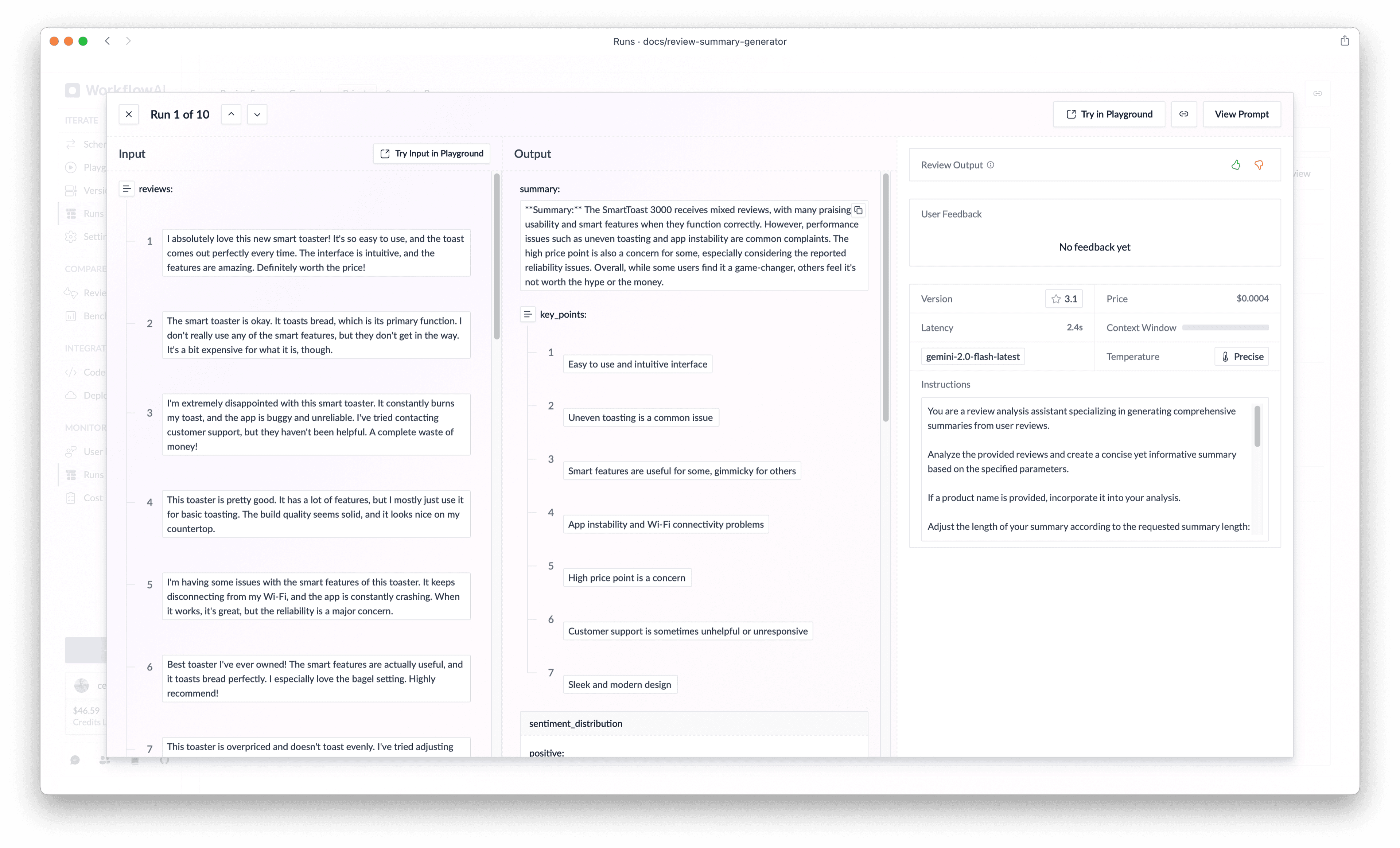
Each run has a unique identifier and can be accessed directly via a URL, like this example run.
Privacy Note: Run URLs are private by default and only accessible to users within your organization. They are not publicly accessible, ensuring your data and AI interactions remain secure.
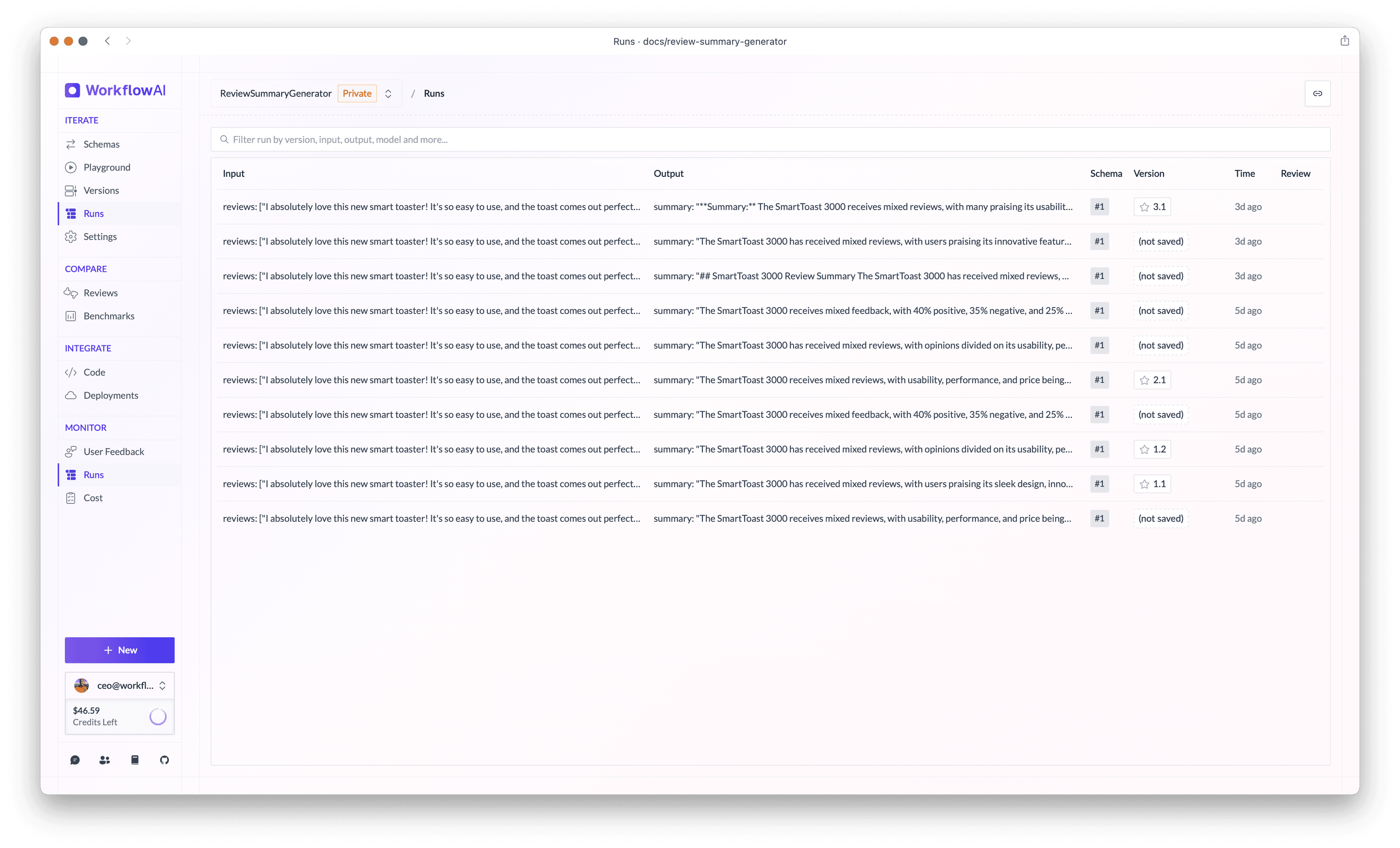
By default, WorkflowAI stores all runs, available in the "Runs" section. You can view a list of all runs for a specific agent, like this example runs list.
Metadata
When viewing a run, you can see the metadata added to the run.
TODO: @anya add screenshot of run view with metadata
Using the API
...
Using MCP
...
Search runs
Using the UI
WorkflowAI provides a powerful search – available under the "Runs" section – to find specific runs:
Architecture: Under the hood, runs are stored in a Clickhouse database, which is optimized for handling large amounts of data, and for fast search and aggregation queries. Clickhouse also compresses data, which reduces storage costs. Learn more about Clickhouse here.
Using the API
... TODO: @guillaume how to search for runs by metadata?
Using MCP
...
(show text that will trigger the search_run tool)View a run's prompt and response (completions)
Using the UI
WorkflowAI provides full transparency into the interaction with the LLM. You can easily examine both the raw prompt sent to the model and the complete response received:
- Navigate to any run's detail view
- Click the "View Prompt" button to see the exact instructions sent to the LLM
You can try viewing the prompt for this example run.
Using the API
TODO: @guillaume
Load in playground
To import a run into the playground, you can use either:
- the "Try in playground" button in the run detail view, which will automatically import the run input, and the version used to generate the run.
- only import the run input, by clicking on the "Try Input in Playground" button in the run detail view.
Load from here... (copy to be adjusted)
Sometimes in a chat conversation, you want to load the conversation from a specific point in time.
TODO: @anya add video showing how to load a run from here.
Delete a run
Deleting a specific run is not possible. However, you can delete all runs for a specific agent, by deleting the agent.
How is this guide?