Additional Features
Discover more helpful playground features including temperature controls, field descriptions, examples, and other tools to enhance your AI development experience.
Temperature
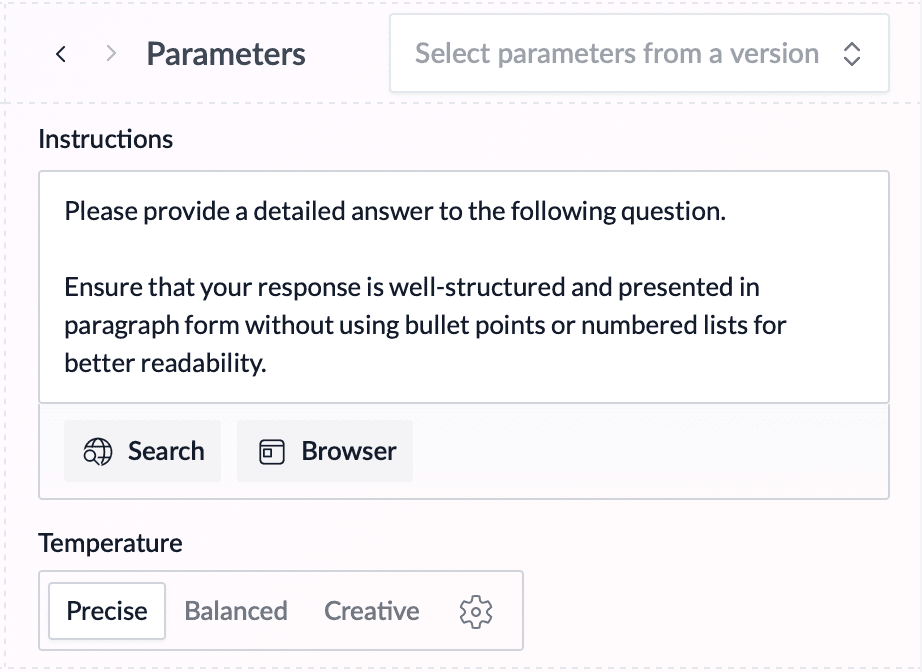
Temperature is a parameter that controls the randomness of the LLM's outputs. WorkflowAI provides three preset temperature settings:
The recommended and default setting for all tasks
- Best for tasks requiring accuracy and consistency
- Ideal for factual responses, code generation, or structured data extraction
- Produces reliable, repeatable results
"Precise" is automatically selected as the default temperature setting for all new features to ensure consistent and reliable outputs. You can adjust this in the Parameters section of the Playground if your use case requires more variation.
Descriptions and Examples
Descriptions and Examples are optional fields available for string-based fields that can be used to provide additional, field-specific information to the LLM. If you find that the prompt instructions alone are not guiding the LLM to handle a specific field, you can add or modify the description or examples to help the LLM understand the field better.
- Description: A description of the field can including what it is and/or what it is used for.
- Examples: You can add one or multiple examples of a field to help the LLM understand what the field formatting should look like.
Examples and Descriptions edits are made on the playground by:
- In all cases: Asking the playground agent to make an update on your behalf by describing the change
- If output is currently displayed: Hovering over a field name, then hover over the description/examples modal and tap Edit
- If no output is displayed: Hovering over a description or example and tap Edit
How is this guide?